Your Market Scanner

Phase 2 Hybrid Scanner + AI Copilot

A clean build path for accurate trade scanning, manual execution, daily journaling, and long-term learning from your real results.

Manual execution only AI-ready data trail Dashboard copilot path
Scanner Copilot Phase 2 concept
ACTIVE
Best PairXAUUSD
Score96
RR1:2
AI JournalReady
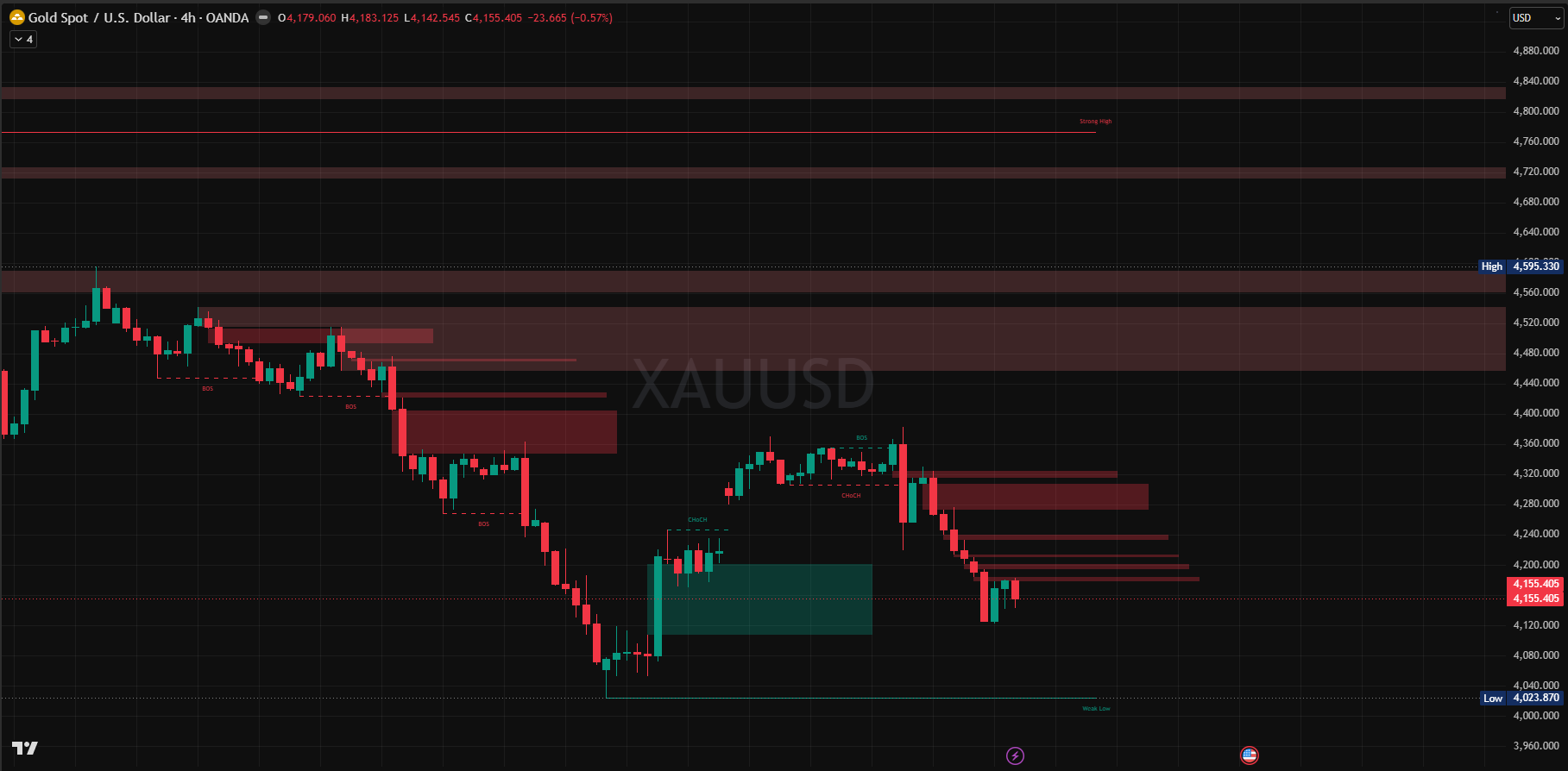
XAUUSDFinal setup alert96
EURUSDBOS confirmed84
GBPJPYSweep detected81
USDJPYNews block89
Your Direction

You want a system that learns from your trading, not only a signal scanner.

1Scan your strategy

Bias, sweep, BOS, FVG, retest, rejection, score, RR, and staged alerts.

2You execute

You remain the trader. The product helps decisions; it does not place trades.

3Record reality

Log taken, skipped, missed, closed, TP, SL, BE, and manual notes.

4Improve over time

AI reviews outcomes and shows which pairs, sessions, and setups perform best for you.

The product vision is a trader copilot: first for you, later for a signal service and member dashboard.
Main decision workflow screenshot
Main Decision

Rules read the chart. AI reads the evidence.

The live scanner should be deterministic, fast, cheap, and testable. The AI layer should explain, question, summarize, and learn from the structured facts the scanner records.

ScannerTruth
AI CopilotCoach
YouControl
API-Style Workflow

The workflow is two loops: live scan now, AI learning later.

Live Scan Loop Runs all day while markets are open
Data APIMT5 sends market data

Candles, spread, symbol info, and later MT5 chart screenshots.

Rule EngineScanner checks your strategy

Bias, session, liquidity sweep, BOS, FVG, retest, rejection, RR, and score.

Context JSONEvery reason is saved

The scanner writes the setup stage, levels, score reasons, and next condition.

Alert LayerYou receive the setup

Telegram and dashboard show Alert 1-6, score, entry, SL, TP, and screenshots.

ManualYou decide what to do

You take, skip, miss, close, or adjust the trade manually.

Evidence Store Everything is stored in one clean history: scanner setup context + what you actually did + trade result + journal answers. AI-readable
Daily Learning Loop Runs after trading, not every market tick
Trade LogYou confirm the outcome

Actual entry, exit, TP, SL, BE, result in R, and notes.

JournalAI asks 5-10 questions

Multiple-choice questions based on your actual setups and trades today.

AI ReviewAI reads the full day

It reads setup context, decisions, outcomes, screenshots, and journal answers.

InsightsYou get feedback

What worked, what failed, best pair/session, and what to focus on next.

LaterScores improve over time

After enough data, AI suggests rating changes for pairs, setups, time, and RR.

Simple version: code finds the setup, you trade manually, the dashboard records reality, and AI learns from the complete history.

Alert Ladder

Each setup becomes a clean timeline.

Every stage is saved with a setup ID, price levels, candle time, score reason, and current state. This is what lets the AI understand what happened later.

1
Liquidity SweepBias and session are valid, then Asian High/Low or PDH/PDL is swept.
2
BOS ConfirmedPrice closes through the expected swing level after the sweep.
3
FVG RetestMost recent displacement FVG is found, then touched.
4
RejectionM5 and/or M15 confirms with accepted candle pattern.
5
Final AlertEntry, SL, TP, RR, score, reasons, and screenshots are ready.
AI Data Contract

Give the AI structured facts, not raw guessing.

Setup Evidence

Pair, direction, session, score, levels, reason trail, and stage timeline.

Trade Result

Taken or skipped, actual entry, exit, result R, TP/SL/BE, notes, screenshots.

Journal Answers

Daily questions, multiple-choice answers, emotion, discipline, and focus area.

This gives you the feeling that AI understands your trades, while the scanner stays reliable and testable.
Dashboard Direction

Mission control, built for your live workflow.

This is the dashboard direction we should build: scanner state, setup detail, score reasons, manual trade log, journal, AI copilot, and analytics in one view.

Live Scanner Setup Detail Trade Log Daily Journal AI Copilot Analytics
Best SetupXAUUSD
Score96 Elite
Plan1:2 RR
Journal3 Questions

Setup Timeline

1Sweep detectedDone
2BOS confirmedDone
3FVG retestedWatch
4M5 rejectionNext

AI Journal

Did you take this setup?
Was the entry on plan?
What should you focus on tomorrow?
Cost Control

AI should be valuable without becoming expensive.

Use code for live scanning Every scan

Fast rule checks every scan interval.
No AI call for every pair and candle update.
Stable logic that can be tested against candle data.
Exact reasons saved for the AI later.

Use AI when it matters On demand

End-of-day journal questions.
Daily summary and focus area.
Setup explanation button.
Weekly and score-learning reports in later phases.
Milestone Plan

Keep the next milestone focused.

Day 1

Foundation
  • Add rule engine modules.
  • Add setup event and evidence tables.
  • Build candle utilities, pivots, EMA, sessions, Asian High/Low, PDH/PDL.
  • Start writing AI-readable evidence.

Day 2

Scanner
  • Implement setup state machine.
  • Add sweep, BOS, FVG, retest, rejection logic.
  • Add score reasons and RR calculation.
  • Generate Alert 1-6 messages.

Day 3

Journal
  • Add setup detail view.
  • Add manual trade log fields.
  • Add daily multiple-choice journal shell.
  • Export AI-ready daily summary payload.
Recommended milestone: Core scanner logic + AI-ready data foundation + journal MVP.
Later Phases

Do not overload Phase 2 with the whole product vision.

Phase 3: AI Copilot

Claude/OpenAI adapter, daily reports, generated questions, setup explanations, weekly review.

Phase 4: Score Learning

Performance by pair, session, setup type, score band, RR, and human-approved weight changes.

Phase 5: Signal Product

Hosted dashboard, user accounts, signal channel workflow, cloud database, and member analytics.

Phase 2 should prepare the AI, not pretend the AI already has a year of trade history.
In One Line

The simple explanation.

The scanner will do the accurate chart reading with code. The AI will sit inside your dashboard and learn from scanner output, trade logs, journal answers, and results.

That keeps Phase 2 realistic: build the scanner brain and AI-ready data first, then add full AI reports and score-learning once real setup history exists.

Built by Gnourt · algorithmic trading systems